
Many businesses manage their online presence across multiple platforms, including websites and social media channels. This reflects how users today consume different types of content and actively engage on various social platforms.
To support this, Google has introduced a new experiment in Search Console. This update gives site owners a single, unified view of their Google Search performance across both their websites and social channels. With this enhancement, Search Console Insights now includes performance data not just for your website, but also for selected social media channels—allowing you to track and review everything in one place.
The new view will show easy-to-understand performance insights for each social channel, including:
- Total reach: The total number of clicks and impressions from Google that bring users to your social profiles.
- Content performance: Your top-performing social pages, along with content that is gaining or losing traction.
- Search queries: The most common and trending search terms that lead users to your social channels.
- Audience location: The top countries where users are clicking on your social profiles from Google Search results.
- Additional traffic sources: Total clicks coming from other Google surfaces such as Image Search, Video Search, News Search, and Discover.
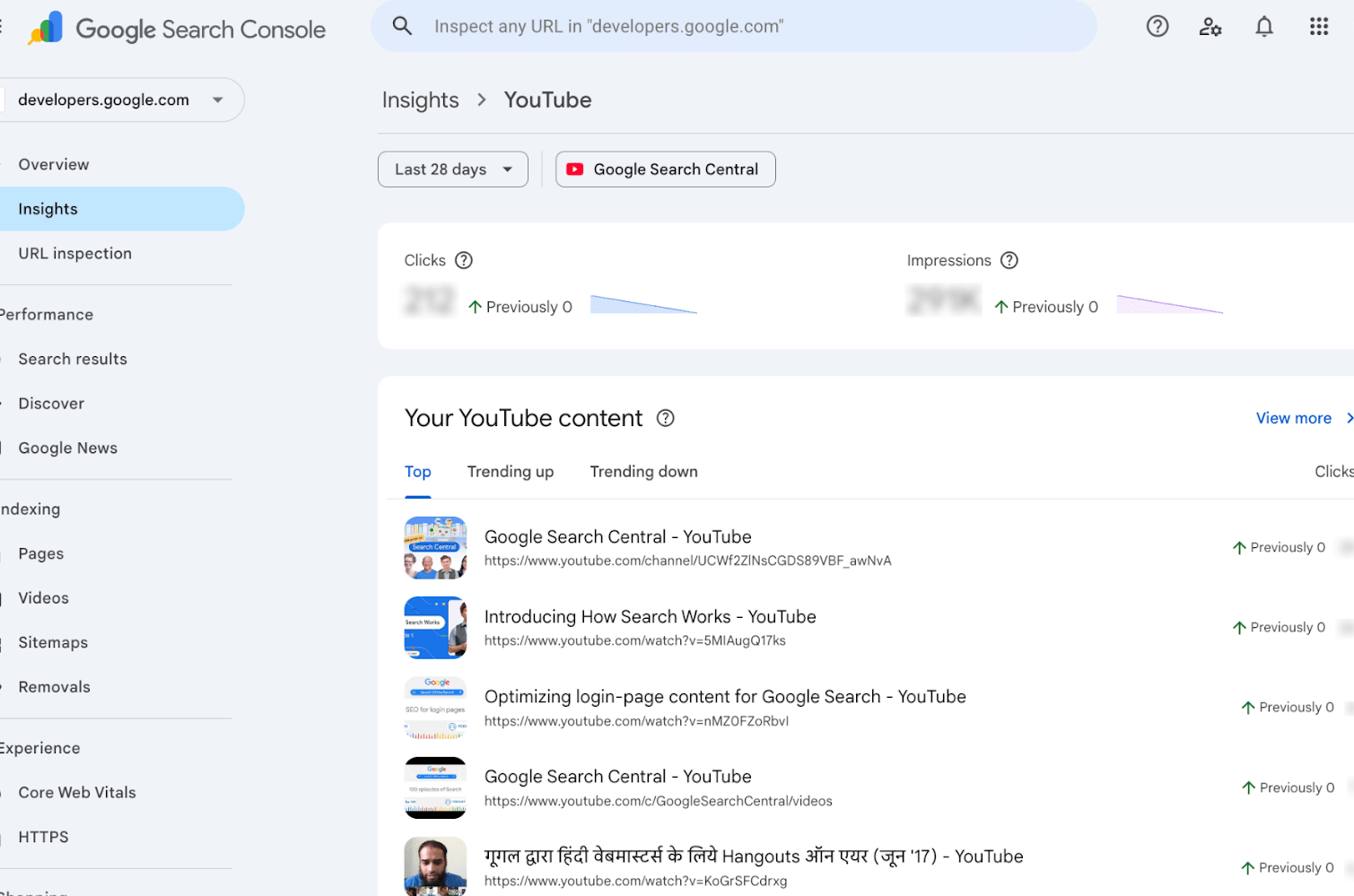
These new insights are being rolled out to a limited number of websites. In this initial phase, the data is available only for websites and social channels that Search Console can automatically identify.
Within the Search Console Insights report, you’ll see a prompt to add the social channels that Search Console has already detected and linked to your website. This helps ensure the data shown is accurate and relevant to your online presence.
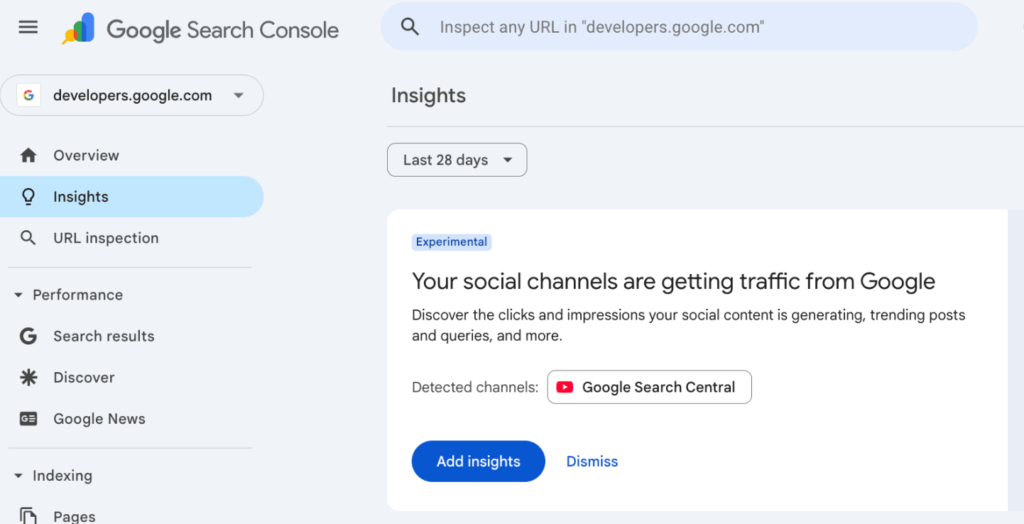
We hope these insights help you better understand how your website and social channels perform together in the Insights report. This is an early experiment, and we’re excited to hear your thoughts.
You can share your feedback using the thumbs up or down buttons on the cards, through the “Submit feedback” option, or by posting your comments on LinkedIn or in the Google Search Central Community.
FAQs
1. What does “social channels in Search Console” mean?
It means you can now see Google Search performance data for some of your social media profiles directly inside Search Console, along with your website data.
2. Which social channels are included in Search Console Insights?
Currently, only selected social channels that Search Console can automatically identify and link to your website are included. This feature is still in the testing phase.
3. Do I need to manually connect my social media accounts?
No. Search Console automatically detects and links social channels associated with your website. You’ll simply be asked to review and add the detected channels in the Insights report.
4. What kind of data can I see for social channels?
You can view clicks, impressions, top-performing content, search queries, audience locations, and traffic from sources like Image Search, Video Search, News, and Discover.
5. Is this feature available for all websites?
No. At the moment, it’s being rolled out to a limited number of websites as part of an early experiment.
6. Will social channel data affect my website rankings?
No, this feature is only for performance insights. It does not directly impact your website’s Google search rankings.
7. Where can I share feedback about this feature?
You can submit feedback directly through Search Console using the thumbs up/down buttons, the “Submit feedback” option, or by sharing your thoughts on LinkedIn or the Google Search Central Community.