Key Takeaways
- SEO tools help analyze keywords, track performance, and optimize websites for better visibility.
- Without SEO, your website won’t appear at the top of search engine results pages (SERPs).
- No single platform does everything — but the right mix of tools can power a strong SEO strategy.
Most online journeys begin with a search. In fact, 34% of U.S. adults prefer traditional search engines when looking for information online. Businesses that fail to optimize for search risk losing visibility — and customers — to competitors.
Without SEO, your website won’t rank on the first page of Google. And realistically, how often do users go to page two? The top organic result on Google earns an average click-through rate (CTR) of 27.6%. Ranking higher isn’t optional — it’s essential.
To help you choose wisely, this guide reviews the 12 best SEO tools for 2026, balancing free and paid options to match different goals and budgets.
How We Developed This List
We based our recommendations on a mix of user feedback, comparative analysis, and limited hands-on testing to ensure real-world relevance.
1️⃣ User Feedback Analysis
We analyzed reviews from platforms such as:
- Capterra
- TrustRadius
- G2
- Quora
- Trustpilot
This helped us understand common strengths, complaints, and satisfaction trends.
2️⃣ Cross-Platform Comparisons
We compared recurring themes across multiple review platforms to identify consistent performance indicators.
3️⃣ Feature & Pricing Assessment
We evaluated tools based on:
- Core SEO functionality
- Ease of use
- Automation capabilities
- Pricing flexibility
- Scalability for growing businesses
4️⃣ Limited Hands-On Testing
Where possible, we tested free trials and entry-level plans to validate user claims. However, most insights reflect long-term user experiences.
Our Evaluation Criteria
Each tool was judged based on:
- Ease of use
- Unique features
- Pricing structure
- Customer support quality
- Overall value for businesses
This ensures the tools featured here are evaluated based on real-world performance — not just marketing claims.
Disclaimer
This article is for informational purposes only. Pricing and specifications are accurate at the time of publication but may change. Always check directly with each provider for the latest details.
Comparison of the Best SEO Tools for Your Business (2026)
SEO tools help improve how well your website ranks on search engines like Google. They analyze keywords, backlinks, technical issues, and performance metrics to boost visibility and organic traffic.
After reviewing multiple platforms, the following 12 SEO tools stand out. They range from beginner-friendly options to advanced enterprise-grade solutions — making them suitable for startups, small businesses, agencies, and SEO professionals.
Top 12 SEO Tools – Feature & Pricing Comparison
| Platform | Pricing (Starts At) | Key Features | Best For |
|---|---|---|---|
| Network Solutions SEO Tools | $20.50/mo | Automated SEO audits, keyword tracking, search engine submission, local SEO | Small businesses seeking integrated solutions |
| SEMrush | $139.95/mo | Keyword research, site audits, PPC data, competitor analysis | Agencies, enterprises |
| Ahrefs | $129/mo | Backlink analysis, Site Explorer, rank tracking, content research | Link builders, SEO professionals |
| Moz (Moz Pro) | $49/mo | Domain Authority, keyword research, site audits | Beginners, SMBs |
| Google Search Console | Free | Performance reports, indexing insights, technical alerts | All website owners |
| Google Keyword Planner | Free | Search volume, CPC data, keyword suggestions | PPC & keyword planning |
| Screaming Frog SEO Spider | Free (Paid version available) | Website crawling, broken link detection | Technical SEO specialists |
| Surfer SEO | $79/mo | Content optimization, SERP similarity analysis, NLP tools | Content marketers |
| Ubersuggest | $12/mo or $120 lifetime | Budget keyword research, backlink data | Budget-conscious marketers |
| AnswerThePublic | $5/mo or $50 lifetime | Content ideas, visualized search queries | Bloggers, content creators |
| Majestic | $49.99/mo | Link intelligence, Trust Flow, Citation Flow | Backlink specialists |
| Serpstat | $50/mo | All-in-one SEO & PPC toolkit | SMBs, freelancers |
Quick Breakdown by Business Type
✅ Best for Small Businesses
- Network Solutions SEO Tools
- Moz
- Serpstat
- Ubersuggest
✅ Best Free Tools
- Google Search Console
- Google Keyword Planner
- Screaming Frog (free version)
✅ Best for Agencies & Enterprises
- SEMrush
- Ahrefs
✅ Best for Content Marketing
- Surfer SEO
- AnswerThePublic
✅ Best for Backlink Analysis
- Ahrefs
- Majestic
Key Insights
- No single SEO tool does everything perfectly.
- Free tools are excellent for data insights but often lack automation and competitor tracking.
- Paid platforms offer deeper analytics, scalability, and reporting features.
- The best approach is often a combination (e.g., Google Search Console + Ahrefs + Surfer SEO).
Network Solutions SEO Tools
Network Solutions offers a business-focused suite of SEO tools built specifically for small and medium-sized businesses that want better search visibility — without needing advanced technical expertise.
Unlike platforms such as SEMrush or Ahrefs, which are designed for SEO professionals and agencies, Network Solutions emphasizes simplicity and integration. Its SEO tools are built directly into its website services, making it ideal for business owners managing domains, hosting, and SEO in one place.
The platform combines automated SEO audits, keyword tracking, ranking reports, and guided optimization recommendations — all accessible through a single dashboard.
Key Unique Features
✅ Easy Setup
Select one or more target keywords and start optimizing immediately. The platform provides helpful tips, keyword trend insights, and beginner-friendly guidance to improve visibility.
✅ Automated SEO Audit
Built-in algorithms analyze your site based on selected keywords and generate a customized list of optimization tasks.
✅ Website Health Check
Get a full diagnostic report highlighting:
- Page speed issues
- Broken links
- Duplicate meta tags
- Missing metadata
- Other SEO errors
✅ Keyword Ranking Reports
Track how your chosen keywords perform over time with clear visibility tracking.
✅ Submission to Search Engines
Helps ensure your website is indexed quickly on major search engines like Google.
✅ Local SEO Support
Optimizes business listings to improve visibility in local search results.
✅ Advanced Filters
Organize SEO tasks using filters such as:
- Category
- Keyword
- Page URL
- Task duration
✅ Updated Performance Reports
Monitor ranking improvements and SEO progress with detailed reporting dashboards.
✅ Integrated Web Services
Manage SEO alongside:
- Domains
- Hosting
- Website builder tools
All from the same account.
Who It’s Best For
- Small business owners who want bundled SEO with hosting and domain services
- Companies already using Network Solutions
- Entrepreneurs new to SEO
- New website owners planning to scale gradually without investing in advanced SEO platforms
What Users Are Saying
Customers often praise the platform’s simplicity and integration. Many highlight the convenience of managing domains, hosting, and SEO in one place.
Customer support is frequently mentioned positively. One reviewer noted:
“As always – every time I need help, I get it quickly. They are very helpful. I love the help they give!”
However, some users point out that while the tool is easy to use, it does not offer the deep data analysis and competitive insights available in platforms like SEMrush or Ahrefs. It’s best suited for small businesses rather than advanced SEO professionals.
Pricing and Plans
Network Solutions offers various bundled services, but here is the standalone SEO pricing:
| Plan | Cost | Inclusions |
|---|---|---|
| Network Solutions Simple SEO Tool | $20.50/month | Keyword optimization, website health checks, personalized SEO action steps, step-by-step SEO guide, advanced task filters, and performance tracking reports |
SEMrush
SEMrush is one of the most widely used SaaS platforms in the SEO industry, known for its powerful all-in-one ecosystem. Unlike tools that specialize in just backlinks or keyword research, SEMrush combines SEO, PPC, content marketing, competitor research, and social media management into a single dashboard.
The platform gathers data from search engines like Google and other online sources, then converts that data into actionable insights. Users can research keywords, audit websites, analyze backlinks, monitor competitors, and optimize paid campaigns — all in one place.
Key Unique Features
🔎 Keyword Magic Tool
Access to 25+ billion keywords, including long-tail opportunities. It also helps identify negative keywords to refine paid campaigns.
📊 Domain Overview & Advertising Research
Analyze competitor keywords, estimated traffic, ad copy, and paid search strategies to benchmark performance and uncover strategic gaps.
🔗 Backlink Analytics & Link Building Tool
Tracks referring domains, anchor text, link authority, and suggests outreach opportunities to strengthen domain credibility.
🛠 Site Audit Tool
Scans for broken links, duplicate content, crawlability issues, and technical SEO errors — then prioritizes fixes.
📈 Traffic Analytics
Estimates competitor traffic sources, audience demographics, and referral channels for deeper market understanding.
💰 Advertising Research Tools
Reveal competitor ad keywords, CPC trends, and historical ads to optimize PPC strategy.
📱 Social Media Toolkit
Schedule posts, track engagement, and analyze competitor social performance — integrating social data with SEO insights.
✍ Content Marketing Platform & SEO Writing Assistant
Create optimized content briefs and evaluate readability, tone, keyword usage, and structure to improve rankings.
Who It’s Best For
- Agencies managing multiple clients
- Enterprises needing SEO + PPC data in one platform
- Marketing teams preferring an integrated solution
- Established businesses with sustainable marketing budgets
What Users Are Saying
Users frequently praise SEMrush for its depth and competitor insights.
A reviewer on G2 shared:
“I am a one woman show, and SEMrush saved my business. It showed me where my site was unhealthy… and I can follow my competitors closely.”
Another user highlighted its global research capabilities and integration of keyword tracking with backlink analytics for client projects.
Many appreciate the 7-day free trial, which allows testing before committing.
However, criticisms are common regarding:
- Complicated cancellation processes
- Unexpected charges
- Confusing refund terms
- Customer service delays
A reviewer on Trustpilot warned about the fine print of the free trial — noting refund eligibility applies only to annual plans, not monthly subscriptions.
Additionally, beginners sometimes find the interface overwhelming due to the sheer number of tools available.
Pricing & Plans (2026)
SEMrush offers a 7-day free trial and three main plans:
| Plan | Cost | Inclusions |
|---|---|---|
| Pro | $139.95/month | Core SEO toolkit, keyword research, site audits, rank tracking, basic reporting |
| Guru | $249.95/month | Everything in Pro + content marketing toolkit, historical data, branded reports, expanded limits |
| Business | $499.95/month | Everything in Guru + API access, extended limits, Share of Voice reporting, white-label features, enterprise tools |
Final Verdict
SEMrush is a powerful, enterprise-grade SEO and digital marketing platform best suited for agencies and established businesses that require comprehensive data and competitor intelligence.
It may not be ideal for beginners or budget-conscious startups, but for teams that need scale, integration, and deep analytics, it remains one of the most robust platforms available.
Ahrefs
Ahrefs is widely recognized for its powerful backlink index and highly intuitive Site Explorer. Unlike SEMrush, which combines SEO and PPC tools, Ahrefs focuses heavily on organic SEO, particularly backlink analysis and competitor research.
The platform crawls the web at massive scale, building one of the largest databases of live backlinks and keywords. This data powers its core tools:
- Site Explorer (domain & backlink analysis)
- Keywords Explorer (keyword research)
- Content Explorer (top-performing content discovery)
- Site Audit (technical SEO analysis)
For many SEO professionals, Ahrefs is the go-to tool for link-building strategy and organic growth analysis.
Key Unique Features
🔎 Comprehensive Site Explorer
Analyze any website’s:
- Backlink profile
- Organic traffic estimates
- Top-ranking pages
This makes competitor research highly actionable — you can see exactly what drives their visibility and replicate winning strategies.
🔑 Powerful Keywords Explorer
Provides:
- Search volume
- Keyword difficulty score
- Click metrics
- Related keyword ideas
Helps balance ranking feasibility with real traffic potential.
🛠 In-Depth Site Audit
Crawls your website to detect:
- Broken links
- Slow-loading pages
- Missing meta tags
- Duplicate content
- Technical SEO errors
It assigns a health score and provides prioritized recommendations.
📈 Rank Tracker
Monitor keyword positions across:
- Countries
- Devices
- Search engines
Track performance trends and adjust strategy when rankings fluctuate.
📊 Content Explorer
Search billions of web pages to identify:
- High-traffic content
- Pages with the most backlinks
- Trending topics in your niche
Ideal for content ideation and competitive benchmarking.
Who It’s Best For
- SEO professionals focused on link-building
- Agencies operating in competitive industries
- Content marketers analyzing high-performing pages
- Businesses prioritizing organic SEO over PPC
What Users Are Saying
Many users praise Ahrefs for the depth of competitor insights and backlink analysis.
One reviewer shared:
“Ahrefs gives really detailed information about what’s working for your website and your competitors. It’s great for finding good keywords, seeing who is linking to your site, and getting ideas for content.”
The Site Explorer is frequently mentioned as a standout feature, especially for identifying top-traffic pages and backlink opportunities. The Keywords Explorer is also valued for content planning.
Opinions about the dashboard are mixed:
- Some describe it as fast and intuitive
- Others feel the interface looks slightly outdated
Ahrefs does offer strong educational support through tutorials and blog content, helping ease the learning curve.
Common Complaints
- No official free trial on paid plans
- Credit-based usage system (some users feel it limits heavy research)
- Expensive compared to entry-level tools
- Reports of slow or inconsistent customer support
One reviewer noted frustration with the credit system, mentioning that heavy usage can quickly consume monthly limits.
Pricing & Plans (2026)
Ahrefs offers some limited free tools, but no free trial for premium plans.
| Plan | Cost | Inclusions |
|---|---|---|
| Lite | $129/month | Core features, limited projects & keyword tracking |
| Standard | $249/month | Expanded tracking, larger backlink database, more reports |
| Advanced | $449/month | Higher limits, advanced features, additional user seats |
| Enterprise | $1,499/month | Full access, API integration, highest limits, priority support |
Final Verdict
Ahrefs is one of the strongest tools available for backlink analysis and organic competitor research. It’s especially powerful for agencies and SEO professionals who rely heavily on link-building strategies.
Majestic
Majestic is a specialized SEO platform focused entirely on backlinks, offering one of the largest link indexes in the industry. Unlike all-in-one tools such as SEMrush or Ahrefs, Majestic concentrates solely on link intelligence.
The platform continuously crawls the web to build a massive backlink database. It evaluates link profiles using proprietary metrics such as Trust Flow and Citation Flow, helping marketers assess both link quality and link volume.
Key Unique Features
🔎 Trust Flow & Citation Flow
Majestic’s proprietary metrics include:
- Trust Flow – Measures link quality based on authority and relevance.
- Citation Flow – Measures link quantity and overall link volume.
When used together, these metrics help determine a domain’s trustworthiness and popularity, making it easier to identify strong link-building opportunities and avoid low-quality sites.
🕰 Historic Index
Stores backlink data across multiple years, allowing users to:
- Monitor long-term link growth
- Identify lost backlinks
- Detect link drops after penalties or algorithm changes
This historical view is particularly useful for competitive industries.
🔗 In-Depth Link Context
Shows where a backlink appears on a page and what content surrounds it.
This helps evaluate:
- Link placement
- Contextual relevance
- Overall SEO value
Useful for prioritizing outreach and assessing link strength.
⚡ Fresh Index
Frequently updated with newly discovered and recently lost backlinks, providing near real-time link tracking.
Helps users:
- Monitor active link-building campaigns
- Track competitor backlink activity
- Spot new opportunities quickly
Who It’s Best For
- Link-building specialists
- SEO professionals in competitive niches
- Agencies requiring deep backlink audits
- Teams focused on authority and trust metrics
What Users Are Saying
Users often describe Majestic as powerful but highly specialized.
A reviewer on Capterra shared:
“The ‘link graph’ map is particularly useful to identify a private blog network…”
Many professionals value:
- Accurate link data
- Proprietary Trust Flow metrics
- Detailed backlink context
- Historical link tracking
However, common criticisms include:
- An interface that feels outdated
- Limited features outside backlink analysis
- Not ideal as a standalone SEO platform
Most users consider it a complementary tool rather than a full SEO suite.
Pricing & Plans (2026)
Majestic offers limited free tools, with expanded features in paid tiers.
| Plan | Cost | Inclusions |
|---|---|---|
| Lite | $49.99/month | Fresh Index access, Site Explorer, Link Graph, Link Context, Trust Flow metrics, 1M analysis units |
| Pro | $99.99/month | Fresh + Historic Index, 20M analysis units, advanced reports, Clique Hunter, Backlink History, Compare Sites, email alerts |
| API | $399.99/month | 5 users, full API access, 100M+ analysis units, OpenApps integration |
Final Verdict
Majestic is one of the most specialized backlink analysis tools available. Its Trust Flow and Citation Flow metrics provide a detailed view of link authority and trust.
While it lacks broader SEO features like keyword tracking or site audits, it excels at deep backlink intelligence. For agencies and link-building professionals, it serves as a powerful complementary tool alongside full-suite SEO platforms.
Moz (Moz Pro)
Moz Pro is best known for its beginner-friendly interface and its industry-standard Domain Authority (DA) metric — a proprietary score designed to predict how likely a website is to rank in search results on platforms like Google.
Compared to SEMrush or Ahrefs, Moz Pro is less overwhelming and more approachable. This makes it a popular entry-level SEO tool for small businesses, freelancers, and marketing teams that want actionable insights without a steep learning curve.
Moz combines its own link index with keyword data, site audits, and on-page optimization tools. When you enter a domain, keyword, or URL, Moz pulls data from its index and Google APIs to deliver keyword difficulty scores, ranking potential, and backlink strength metrics.
Key Unique Features
🔎 Keyword Explorer
- Generates keyword ideas
- Shows keyword difficulty scores
- Estimates click-through rates (CTR)
- Identifies ranking opportunities
Helps prioritize keywords based on realistic ranking potential and traffic value.
📊 Domain Authority (DA) & Page Authority (PA)
Moz’s proprietary metrics measure the relative ranking strength of:
- Entire domains (DA)
- Individual pages (PA)
These scores are widely used for competitor benchmarking and link evaluation.
✍ On-Page Optimization Tool
Analyzes content against SEO best practices such as:
- Keyword placement
- Title tags
- Meta descriptions
- Content structure
Provides clear, step-by-step recommendations for improvement.
🔗 Link Explorer
Review your backlink profile or competitors’ links, including:
- Referring domains
- Anchor text distribution
- Link strength
Useful for link-building strategy and competitor research.
🛠 Site Crawl
Scans for technical SEO issues like:
- Broken links
- Duplicate content
- Missing metadata
- Crawl errors
Ensures search engines can properly index your website.
Who It’s Best For
- Beginners learning SEO fundamentals
- Small businesses needing affordable, user-friendly tools
- Marketers who rely on Domain Authority for quick benchmarking
- Teams prioritizing usability over advanced data depth
What Users Are Saying
Users often praise Moz Pro for its intuitive design and strong educational ecosystem, including the Moz Blog and Moz Academy.
One reviewer noted:
“Moz Pro offers one of the most intuitive interfaces in the SEO space, making it easy to navigate even for beginners. The keyword difficulty score is accurate and extremely helpful… The real standout is the wealth of educational resources.”
Many users value:
- The clarity of rank tracking reports
- Actionable site audit recommendations
- The reliability of the Domain Authority metric
However, some advanced users point out that Moz’s link index is smaller compared to Ahrefs or SEMrush, making it less suitable for large-scale backlink research.
Another user summarized the comparison well:
“SEMrush and Moz excel at different things… SEMrush wins on data breadth, but Moz wins on user-friendliness.”
Common concerns include:
- Pricing perceived as high
- Fewer advanced features compared to competitors
- Perception that Moz has lost ground to more data-heavy platforms
Still, many agencies and professionals consider Moz a solid investment when ease of use and clarity are priorities.
Pricing & Plans (2026)
Moz offers a 7-day free trial. Pricing tiers include:
| Plan | Cost | Inclusions |
|---|---|---|
| Starter | $49/month | Basic access to Keyword Explorer, Link Explorer, and Site Crawl |
| Standard | $99/month | Expanded keyword tracking, more reports, higher limits |
| Medium | $179/month | Larger campaigns, advanced tools, additional user seats |
| Large | $499/month | Full access, priority support, enterprise-level limits |
Final Verdict
Moz Pro is one of the most beginner-friendly SEO platforms available. Its Domain Authority metric remains widely recognized across the industry, and its clean interface makes SEO more accessible.
Google Search Console
Google Search Console (GSC) is a free web service from Google that helps website owners, marketers, and SEO professionals monitor and maintain their site’s visibility in Google Search.
It provides direct data from Google about how your website is crawled, indexed, and displayed in search results. This makes it an essential tool for identifying technical issues and improving search performance.
Every time Google crawls your site, GSC collects data on:
- Search queries that trigger your pages
- Impressions and clicks
- Average ranking position
- Indexing status
- Mobile usability
- Security issues
By submitting sitemaps and reviewing coverage reports, you can help Google better understand and index your content.
In short, GSC serves as a direct communication channel between your website and Google Search, highlighting both growth opportunities and technical problems.
Key Unique Features
📊 Performance Reports
Displays detailed metrics including:
- Clicks
- Impressions
- Click-through rate (CTR)
- Average keyword position
These insights help identify top-performing pages and uncover underperforming content.
📑 Index Coverage Reports
Shows which pages:
- Are successfully indexed
- Have crawl errors
- Are blocked or excluded
Helps resolve issues preventing pages from appearing in search results.
🗺 Sitemaps Submission
Allows direct submission of XML sitemaps to improve page discovery and indexing efficiency.
⚡ Core Web Vitals
Measures user experience signals such as:
- Loading speed
- Interactivity
- Visual stability
Especially focused on mobile performance.
🔐 Security & Manual Actions
Notifies you if Google detects:
- Spam
- Malware
- Manual penalties
Enables quick resolution to protect search visibility.
Who It’s Best For
- All website owners
- Beginners tracking search performance
- Technical teams fixing crawl and indexing issues
- Businesses needing direct data from Google
What Users Are Saying
Users frequently describe Google Search Console as indispensable because it provides accurate, first-party data directly from Google — at no cost.
A reviewer on G2 shared:
“Google Search Console gives us direct insights into how our website is performing in Google Search… The performance report is especially useful for spotting underperforming pages or rising queries.”
Many users appreciate:
- Clear performance reports
- Easy sitemap submission
- Alerts for technical issues
- Integration with tools like Google Analytics
However, some limitations are noted:
- No competitor analysis
- No advanced keyword research tools
- 1–2 day data reporting delay
A reviewer on Capterra mentioned occasional delays in data updates, particularly for clicks and ranking metrics.
Despite these limitations, most agree that GSC is a foundational tool for any SEO strategy.
Pricing & Plans
Google Search Console is completely free with a Google account.
Final Verdict
Google Search Console is a must-have SEO tool for every website owner. While it doesn’t offer competitor research or advanced keyword analytics, it provides direct, reliable data from Google that no third-party tool can replicate.
It works best when combined with other SEO platforms but remains the starting point for monitoring and improving search visibility.
Google Keyword Planner
Google Keyword Planner was originally designed for PPC advertising within Google Ads, but it has become one of the most widely used free keyword research tools for SEO.
Although it doesn’t offer the advanced competitive analysis found in paid platforms, it remains a trusted source for keyword search volume, trends, and cost-per-click (CPC) data — all directly from Google.
The tool pulls data from Google Ads and organizes it into keyword reports. Users can review:
- Average monthly search volume
- Competition level (for paid ads)
- CPC estimates
- Related keyword suggestions
It also groups similar keywords together, helping marketers focus on topic clusters rather than isolated terms.
Key Unique Features
📊 Keyword Volume & Trend Data
View:
- Average monthly searches
- Historical search trends
- Seasonal fluctuations
This helps identify evergreen keywords and time-sensitive opportunities.
💰 CPC Estimates for Paid Campaigns
See high and low bid ranges for keywords, allowing you to:
- Estimate advertising costs
- Identify high-intent commercial terms
- Plan Google Ads budgets more effectively
🗂 Keyword Grouping
Keywords are organized into related clusters, making it easier to:
- Build content around themes
- Structure ad groups
- Target broader search intent
While competition metrics apply primarily to advertisers, they can still signal commercial value.
Who It’s Best For
- Marketers managing both SEO and PPC strategies
- Beginners researching keywords without investing in premium tools
- Small businesses looking for reliable data directly from Google
- Advertisers planning Google Ads budgets
What Users Are Saying
Many users value Keyword Planner because the data comes straight from Google, making it a reliable starting point for research.
A Reddit user commented:
“For basic keyword research, yes, keyword planner is absolutely enough… All agencies I’ve ever worked for have used this tool, as well as a variety of others.”
Users often highlight:
- Ease of use
- Free access
- Helpful trend comparisons
- Strong foundation for SEO and PPC planning
However, common limitations include:
- Aggregated search volume ranges
- Competition metrics focused on advertisers
- Limited organic ranking insights
Another Reddit user explained that while the tool is useful for generating ideas, keyword volume and competition reflect paid advertising data rather than true organic ranking difficulty. Many recommend validating keywords manually by reviewing actual search results.
Pricing & Plans
Google Keyword Planner is free with a Google Ads account.
Final Verdict
Google Keyword Planner is an excellent free starting point for keyword research, especially for beginners and advertisers. While it lacks deep competitive SEO analysis, it provides reliable volume and CPC data straight from Google.
For advanced SEO strategies, it works best when combined with other tools — but as a free resource, it remains one of the most valuable keyword research platforms available.
Screaming Frog SEO Spider is a desktop-based website crawler built for detailed SEO audits. Unlike cloud tools that give high-level summaries, it scans every page of a site to uncover technical issues that can affect search rankings.
It works by crawling your site like a search engine bot, collecting data on links, images, scripts, and metadata. The tool then organizes this into reports that highlight problems such as broken links, redirect chains, duplicate content, and missing tags. Advanced users can also connect it with Google Analytics or Google Search Console for added insights.
Key unique features
- Crawls websites up to hundreds of thousands of URLs for technical insights. Screaming Frog simulates a search engine crawl, scanning massive sites quickly and surfacing technical issues at scale. This makes it especially valuable for large eCommerce stores and enterprise websites.
- Finds broken links, redirects, and duplicate content that impact SEO health. The tool automatically flags dead links, long redirect chains, and content repetition, helping you fix errors that confuse search engines and harm user experience.
- Analyzes metadata and structured data to ensure proper optimization. Screaming Frog reviews page titles, meta descriptions, header tags, and schema markup so you can spot missing or poorly optimized elements that affect rankings.
- Generates XML sitemaps to improve crawlability and indexing. You can create custom XML sitemaps directly from your crawl data, ensuring that search engines can easily find and index important pages.
- Integrates with GA and GSC to overlay performance data onto technical reports. By connecting with Google Analytics and Search Console, the tool combines technical crawl data with engagement and traffic metrics, giving a more complete picture of site performance.
Who it’s best for
- Technical SEO professionals.
- Developers auditing site health.
What users are saying
Customers value Screaming Frog for its thorough crawl capabilities and detailed reporting, often calling it the go-to tool for technical SEO. Many appreciate its accuracy in uncovering issues that other tools miss, such as complex redirect chains or crawl-depth problems. One user from Capterra said “What I enjoyed best about Screaming Frog SEO Spider was its function as a trustworthy tool in conducting SEO audits for our company’s website. The tool’s efficiency in identifying critical insights, addressing issues quickly, and producing actionable results in a timely manner was helpful. It was critical in improving our website’s performance by revealing areas for development and ensuring that we stayed on top of SEO best practices.”
However, some beginners find the interface intimidating, since it feels more like a technical utility than a polished SaaS dashboard. Someone also commented about needing to start from scratch every single time since there’s no way to save your progress in the free version.
Despite this, advanced users agree it’s one of the most reliable tools for diagnosing technical SEO issues.
Pricing and plans
Screaming Frog’s free trial already includes plenty of tools, but others recommend acquiring a license. Since one user needs one license, you can purchase multiple licenses for your team with their bulk purchase deals.
| Plan | Cost / Term | Inclusions |
|---|---|---|
| Free | Up to 500 URLs | Basic site crawling with limited features. Detects broken links, analyzes page titles and metadata, and provides simple export options. Ideal for small websites or quick audits. |
| 1–4 licenses | $279 per license / year | Unlimited crawling, advanced configuration options, JavaScript rendering, custom extraction, scheduling, and integrations with Google Analytics, Google Search Console, and PageSpeed Insights. Includes priority support and regular software updates. |
| 5–9 licenses | $265 per license / year | Same features as above, offered at a discounted rate for small teams managing multiple projects. |
| 10–19 Licenses | $249 per license / year | Full functionality with additional volume pricing for agencies or organizations with larger SEO teams. |
| 20+ Licenses | $235 per license / year | Enterprise-level access with the lowest per-license rate. Includes all premium features, updates, and support for large-scale operations. |
Screaming Frog SEO Spider
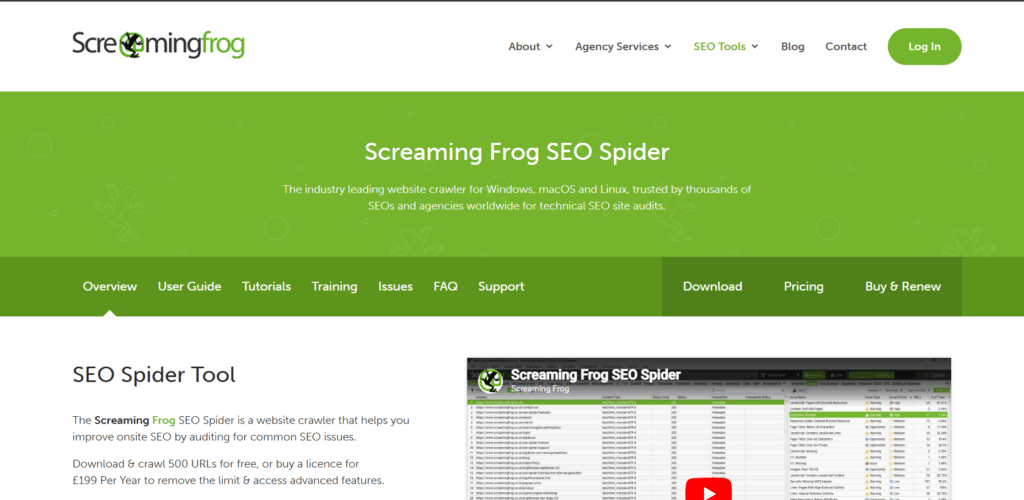
Screaming Frog SEO Spider is a desktop-based website crawler built for deep, technical SEO audits. Unlike cloud-based platforms that provide high-level summaries, it scans every accessible page of a website to uncover granular technical issues that can impact search rankings.
It works by crawling your site the same way a search engine bot would. During the crawl, it collects data on:
- Links
- Images
- Scripts
- Metadata
- Status codes
- Structured data
The results are organized into detailed reports highlighting issues such as broken links, redirect chains, duplicate content, and missing tags. Advanced users can integrate it with tools like Google Analytics and Google Search Console to combine technical data with performance metrics.
Key Unique Features
🕷 Large-Scale Website Crawling
Crawls hundreds of thousands of URLs efficiently.
Ideal for large eCommerce stores and enterprise-level websites that require full-site technical audits.
🔗 Broken Links, Redirects & Duplicate Detection
Automatically flags:
- 404 errors
- Redirect chains & loops
- Duplicate content
- Canonical issues
Helps resolve technical errors that affect both search engines and user experience.
🏷 Metadata & Structured Data Analysis
Reviews:
- Page titles
- Meta descriptions
- Header tags
- Schema markup
Ensures on-page elements are properly optimized and compliant with SEO best practices.
🗺 XML Sitemap Generation
Generate custom XML sitemaps directly from crawl data to improve crawlability and indexing.
🔄 GA & GSC Integration
By connecting with Google Analytics and Search Console, you can overlay:
- Traffic data
- Engagement metrics
- Click and impression data
This creates a more complete technical + performance analysis.
Who It’s Best For
- Technical SEO professionals
- Developers auditing site architecture
- Agencies managing large websites
- Enterprise SEO teams
What Users Are Saying
Users frequently describe Screaming Frog as a go-to tool for technical SEO audits due to its accuracy and depth.
A reviewer on Capterra shared:
“The tool’s efficiency in identifying critical insights, addressing issues quickly, and producing actionable results in a timely manner was helpful. It was critical in improving our website’s performance.”
Many advanced users appreciate:
- Its ability to detect complex redirect chains
- Crawl depth analysis
- Custom extraction features
- Reliable data exports
However, some beginners find:
- The interface intimidating
- The desktop utility design less polished than SaaS dashboards
- The free version limiting (500 URL cap and no project saving)
Despite the learning curve, experienced SEOs widely consider it one of the most reliable technical audit tools available.
Pricing & Plans (2026)
Screaming Frog offers a generous free version, with paid annual licenses for full functionality.
| Plan | Cost | Inclusions |
|---|---|---|
| Free | Up to 500 URLs | Basic crawling, broken link detection, metadata analysis, limited exports |
| 1–4 Licenses | $279 per license/year | Unlimited crawling, JavaScript rendering, custom extraction, scheduling, GA & GSC integration, updates & support |
| 5–9 Licenses | $265 per license/year | Same features, discounted team pricing |
| 10–19 Licenses | $249 per license/year | Full functionality with volume discount |
| 20+ Licenses | $235 per license/year | Enterprise-level pricing with all premium features |
Final Verdict
Screaming Frog SEO Spider is a powerful, precision-focused technical SEO tool. It excels at uncovering backend issues that many cloud tools only summarize.
Surfer SEO specializes in content optimization, helping writers and marketers create pages designed to rank higher in search results. Unlike broader SEO platforms, Surfer focuses specifically on improving on-page elements and content relevance. It’s widely used by bloggers, content teams, and agencies that want data-driven guidance for building SEO-friendly articles.
The platform analyzes the top-ranking pages for any keyword and compares them against your content. It considers factors like keyword usage, headings, content length, semantic terms, and structure. Based on this data, Surfer generates real-time recommendations so you can adjust your draft as you write.
Surfer SEO
Surfer SEO specializes in content optimization, helping writers and marketers create pages designed to rank higher in search results. Unlike broader SEO platforms like SEMrush or Ahrefs, Surfer focuses specifically on improving on-page SEO and content relevance.
The platform analyzes the top-ranking pages for a target keyword and compares them against your draft. It evaluates factors such as:
- Keyword usage
- Headings and structure
- Content length
- Semantic terms (related keywords)
- On-page optimization signals
Based on this analysis, Surfer generates real-time recommendations so you can adjust your content as you write.
Key Unique Features
✍ Content Editor
Provides live optimization suggestions including:
- Keyword placement
- Heading structure
- Recommended word count
- NLP-based term suggestions
Writers receive a content score that improves as optimizations are applied.
🔎 SERP Analyzer
Breaks down ranking factors from top search results to show:
- Content length averages
- Keyword density
- Backlink signals
- Structural patterns
Helps reverse-engineer what competitors are doing well.
🔑 Keyword Research Tool
Suggests:
- Keyword clusters
- Related search terms
- Topic expansions
Encourages broader topical authority rather than focusing on a single keyword.
🗂 Content Planner
Builds topic clusters and outlines based on search demand, helping create a full content strategy rather than isolated blog posts.
🛠 SEO Audit Tool
Analyzes existing content and recommends specific improvements to boost rankings, such as adding missing terms or adjusting structure.
Who It’s Best For
- Content writers
- Bloggers focused on organic traffic
- eCommerce businesses running blog strategies
- Agencies managing content production
- Non-technical marketers who want structured SEO guidance
What Users Are Saying
Users often praise Surfer SEO for making on-page optimization simple and actionable.
One reviewer shared:
“We use Surfer for our six websites and recommend it to our clients. We’ve seen SERP improvements across the board.”
The Content Editor is consistently highlighted as the standout feature, especially for non-technical writers who want clear optimization direction.
However, some concerns include:
- Content can feel formulaic if recommendations are followed too rigidly
- Risk of keyword overuse leading to unnatural writing
- Credit-based usage system can feel restrictive
- Higher-tier plans may provide more capacity than some users need
A reviewer on Capterra noted:
“I need more than the 30 available with the $99 plan, but with the more expensive plan, I don’t use all of them.”
Overall, many agree Surfer is highly effective — but best used as a guide rather than a strict rulebook.
Pricing & Plans (2026)
| Plan | Cost | Inclusions |
|---|---|---|
| Essential | $79/month | Content optimization tools, templates, keyword suggestions, Google Docs & WordPress integrations |
| Scale | $175/month | Higher usage limits, AI visibility tracking, Topical Maps, advanced monitoring |
| Enterprise | From $999/month | API access, white labeling, traffic cannibalization reports, strategic SEO support, enterprise security |
Final Verdict
Surfer SEO is one of the strongest tools for on-page content optimization. It’s ideal for teams producing large volumes of SEO-driven content who want structured, data-backed recommendations.
AnswerThePublic
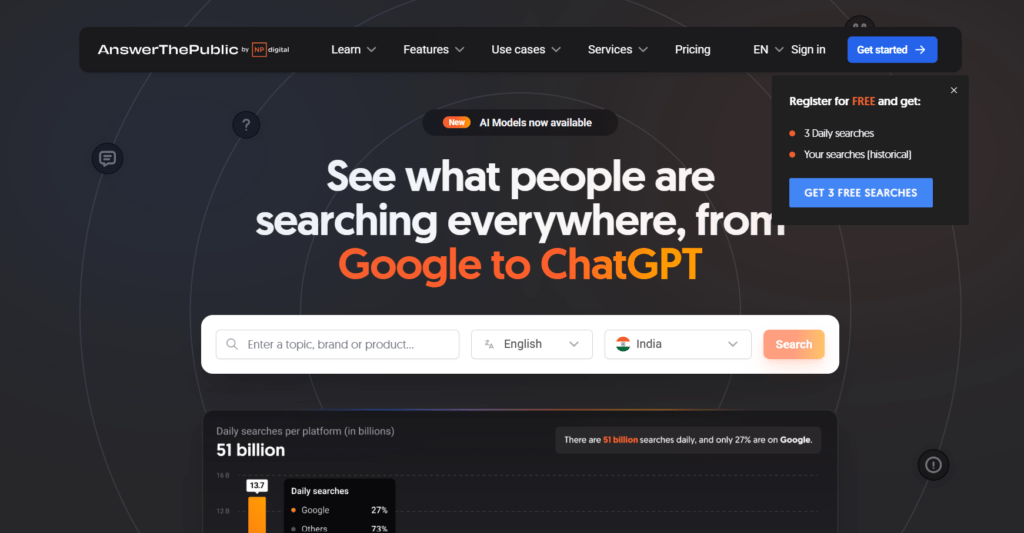
AnswerThePublic is a content ideation tool that visualizes the questions and phrases people search for online. Instead of focusing on raw keyword metrics, it organizes search queries into categories like “what,” “how,” and “why,” helping marketers better understand user intent.
The platform gathers data from search engine autocomplete suggestions and presents it in visual formats such as mind maps and structured lists. These insights highlight long-tail keyword opportunities and help writers create blog posts, FAQs, and guides based on real search behavior.
Key Unique Features
🗺 Visual Keyword Maps
Groups queries into categories such as:
- Questions
- Comparisons
- Prepositions
- Alphabetical variations
The visual layout makes it easy to see how users phrase searches and uncover multiple intent angles for a single topic.
🔎 Long-Tail Keyword Discovery
Identifies specific, lower-competition queries that users actively search for.
These long-tail opportunities are useful for:
- Targeting niche audiences
- Ranking faster
- Expanding topical coverage
📝 Content Planning Support
Generates ready-to-use ideas for:
- Blog articles
- FAQ pages
- Resource hubs
Helps content teams align their strategy with actual search behavior.
📤 Export Options
Allows downloads in CSV or image format, making it easy to share insights with teams or integrate findings into broader SEO workflows.
Who It’s Best For
- Content marketers building audience-focused strategies
- Bloggers seeking topic inspiration
- Businesses expanding FAQ sections
- Teams planning long-form guides and topic clusters
What Users Are Saying
Users often praise AnswerThePublic for its ability to quickly generate content ideas and uncover long-tail keywords that traditional tools may overlook.
A reviewer on Capterra noted that the tool provides a visually appealing way to explore common questions and related searches, though they mentioned possible limitations in data depth and customization.
Some common positives include:
- Easy brainstorming
- Clear visualization of search intent
- Useful for occasional research
- Helpful for writers and marketers
However, users also point out limitations:
- The free version restricts daily searches
- Data relies heavily on Google autocomplete
- Limited filtering and customization options
- Results may not always be fully accurate
Overall, most users view it as a strong brainstorming tool rather than a comprehensive SEO analytics platform.
Pricing & Plans (2026)
AnswerThePublic offers a 7-day free trial and lifetime subscription options.
| Plan | Cost | Inclusions | Best For |
|---|---|---|---|
| Individual | $11/month or $119 lifetime | 1 user, 100 searches/day, CPC & search volume data, tagging features | Entrepreneurs and small businesses |
| Pro | $99/month or $990 lifetime | Up to 3 users, unlimited searches, CPC & volume data, collaboration tools | Small teams and agencies |
| Expert | $199/month or $1990 lifetime | Unlimited users & searches, CPC & volume data, tagging, brand & trend monitoring | Larger teams and organizations |
Final Verdict
AnswerThePublic is an excellent tool for brainstorming and discovering long-tail content opportunities. Its visual approach makes understanding search intent quick and intuitive.
While it doesn’t replace full-scale SEO platforms, it’s highly effective for generating content ideas and building audience-focused strategies.
Ubersuggest
Ubersuggest offers an affordable entry point into SEO with simplified tools, making it a strong option for freelancers, small businesses, and marketers who don’t need the depth of platforms like SEMrush or Ahrefs.
Originally developed by Neil Patel, Ubersuggest combines keyword research, backlink analysis, rank tracking, and site audits into an easy-to-use interface designed for budget-conscious users.
The platform pulls keyword and backlink data from multiple sources and presents it in clean, straightforward dashboards. It also offers a Chrome extension for quick keyword and competitor research directly in search results.
Key Unique Features
🔑 Keyword Research Tool
Provides:
- Keyword ideas
- Search volume
- SEO difficulty
- Seasonal trends
Helps identify new content opportunities aligned with current search demand.
🛠 Site Audit
Scans your website for:
- Page speed issues
- Broken links
- Missing metadata
- On-page SEO errors
Offers clear, beginner-friendly recommendations to improve site health.
🔗 Backlink Data
Displays:
- Referring domains
- Competitor backlinks
- Domain authority metrics
- Link quality indicators
Useful for basic link-building strategy and competitor research.
📈 Rank Tracking
Monitors keyword rankings across:
- Desktop
- Mobile
Helps measure performance changes over time.
🕵 Competitor Analysis
Reveals:
- Competitors’ top-performing pages
- Ranking keywords
- Backlink sources
Allows small businesses to reverse-engineer successful strategies.
Who It’s Best For
- Freelancers and solopreneurs
- Small businesses on tight budgets
- Beginners learning SEO fundamentals
- Marketers who need basic insights without complexity
What Users Are Saying
Users frequently highlight Ubersuggest’s affordability and ease of use.
A reviewer on G2 shared:
“Ubersuggest gives a good idea of SEO rankings and helps a lot when you are starting a project. The best is that it is budget friendly.”
Many also praise the lifetime pricing option. A reviewer on Trustpilot noted:
“It’s good for the money, especially since I took advantage of the lifetime deal… If I were a freelancer looking for a good keyword tool without the high cost of Ahrefs or SEMrush, Ubersuggest is a strong choice.”
However, common criticisms include:
- Less extensive and less frequently updated data than premium tools
- Occasional inaccuracies in rank tracking
- Limited depth for advanced SEO campaigns
A reviewer on Capterra mentioned inconsistencies in site audit and keyword tracking reports.
Overall, most agree it’s best suited for entry-level SEO rather than enterprise-scale operations.
Pricing & Plans (2026)
Ubersuggest offers a free trial plus monthly and lifetime subscription options.
| Plan | Cost | Inclusions |
|---|---|---|
| Individual | $29/month or $120 lifetime | 1 website, 150 searches/day, 125 tracked keywords, 5 competitors, 1,000 page scans, 10 AI prompts/month |
| Business | $49/month or $200 lifetime | 7 websites, 300 searches/day, 150 tracked keywords/domain, 10 competitors, 5,000 scans, 15 AI prompts biweekly |
| Enterprise | $99/month or $400 lifetime | 15 websites, 900 searches/day, 300 tracked keywords/domain, 15 competitors, 10,000 scans, 20 AI prompts weekly |
Final Verdict
Ubersuggest is one of the most budget-friendly SEO platforms available. While it doesn’t match the data depth of Ahrefs or SEMrush, it provides strong foundational tools for keyword research, site audits, and competitor analysis at a fraction of the cost.
Serpstat
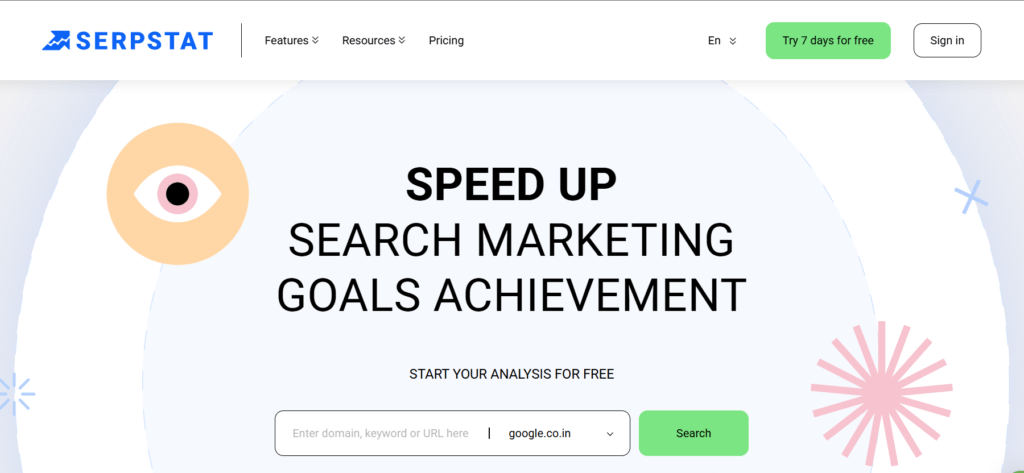
Serpstat is an affordable all-in-one SEO platform that combines keyword research, competitor analysis, backlink tracking, rank monitoring, and site audits into one dashboard. While it may not always match the data depth of premium platforms like SEMrush or Ahrefs, it delivers strong functionality at a much lower price point.
This makes it especially attractive for freelancers, startups, and small-to-medium businesses looking for comprehensive SEO tools without enterprise-level costs.
Key Unique Features
🔑 Keyword Clustering & Rank Tracking
Serpstat automatically groups related keywords into clusters based on semantic similarity and search intent.
Benefits include:
- Building topic-based content strategies
- Organizing large keyword lists efficiently
- Monitoring keyword performance by cluster
- Tracking rankings across devices and locations
This is particularly useful for content teams building authority around specific themes.
🕵 Competitor Research (SEO + PPC)
The platform analyzes both organic rankings and paid campaigns, showing:
- Competitors’ ranking keywords
- PPC keywords and ad copy
- Traffic distribution
- Keyword gaps
This combined SEO and PPC visibility helps marketers identify untapped opportunities and refine ad strategies.
🛠 Site Audit for Technical Health
Serpstat’s audit tool scans for 100+ technical and on-page SEO issues, including:
- Crawl errors
- Broken links
- Page speed problems
- Indexing issues
It assigns a site health score and provides actionable recommendations for improvement.
🔗 Backlink Analysis
Provides detailed backlink insights such as:
- Referring domains
- Anchor text distribution
- Link quality signals
- Toxicity indicators
Useful for monitoring link-building campaigns and evaluating competitor strategies.
⚙ API Access
Advanced users and agencies can integrate Serpstat data into custom dashboards and reporting systems via API. This supports automation for:
- Keyword tracking
- Backlink monitoring
- Competitive analysis
Who It’s Best For
- Freelancers managing multiple small projects
- SMBs looking for strong value
- Agencies needing affordable reporting tools
- Teams wanting both SEO and PPC research in one platform
What Users Are Saying
Users often highlight Serpstat’s broad feature set relative to its price.
A reviewer on Capterra shared:
“The best feature of Serpstat is the site audit… I used the backlink analysis to see who is promoting my competitors and contact them as well. This feature is insanely good!”
Common positives include:
- Strong site audit capabilities
- Effective keyword clustering
- Useful backlink analysis
- Budget-friendly pricing
However, some users mention:
- Interface feels less polished than premium tools
- Data depth may not match higher-priced competitors
- Desire for expanded PPC ad visibility features
Overall, it’s widely regarded as a cost-effective alternative to premium SEO suites.
Pricing & Plans (2026)
Serpstat offers a 7-day free trial with the following paid tiers:
| Plan | Cost | Inclusions |
|---|---|---|
| Individual | $50/month | 5 projects, 100 daily searches, 10,000 position checks, 30,000 pages to audit, core SEO tools |
| Team | $100/month | Unlimited projects, 500 daily searches, API access, AI tools, scheduled reports, batch analysis |
| Agency | $410/month | 5,000 daily searches, 500,000 position checks, 1.5M pages to audit, white-label reports, phone support |
Final Verdict
Serpstat is a well-rounded, budget-friendly SEO platform that offers strong value for freelancers, SMBs, and growing agencies. While it may not provide the same depth of data as SEMrush or Ahrefs, it covers nearly all essential SEO functions at a significantly lower cost.
How to Choose SEO Tools
Choosing the right SEO tool isn’t about picking the most popular platform — it’s about selecting the one that aligns with your goals, budget, skill level, and long-term growth plans.
Here’s a simple step-by-step framework to help you decide.
Step 1: Define Your SEO Goal
Before investing in any tool, clarify what you want to achieve. This prevents overspending on features you won’t use.
Ask yourself:
📈 Do I want to increase traffic or target specific keywords?
Focus on keyword research tools such as:
- SEMrush
- Ubersuggest
- Google Keyword Planner
These help you identify high-potential search terms.
🛠 Do I need to fix technical SEO issues?
If you’re dealing with crawling, speed, or indexing problems, consider:
- Screaming Frog SEO Spider
- Google Search Console
These tools diagnose and surface technical issues.
🔗 Do I want to build backlinks and authority?
For link-building and domain authority insights:
- Ahrefs
- Majestic
They show where competitors are earning links.
✍ Am I focused on content optimization?
To improve on-page rankings and search intent alignment:
- Surfer SEO
Ideal for writers and content teams.
📊 Do I need an all-in-one solution?
For combined SEO + PPC + reporting:
- SEMrush
- Serpstat
These consolidate multiple functions into one dashboard.
Bottom line: Define your goal first. Whether it’s traffic growth, higher rankings, or improved technical health, your tool should directly support measurable outcomes.
Step 2: Match Your Budget
💰 Assess Your Resources
If you’re managing SEO yourself, tool costs typically range between $50–$300 per month.
If outsourcing, factor in agency or consultant fees.
🆓 Start with Free Tools
You can build a strong SEO foundation using free platforms:
- Google Search Console – Tracks performance, indexing, clicks, and rankings
- Google Keyword Planner – Keyword ideas and volume data
- Google Analytics (GA4) – Traffic, behavior, and conversion tracking
- AnswerThePublic (Free Version) – Long-tail keyword ideation
- Ubersuggest (Free Tier) – Limited keyword and audit tools
- MozBar – Chrome extension showing Domain Authority and SEO metrics
📊 Focus on ROI, Not Just Cost
SEO is a long-term investment. A $100 monthly tool can pay for itself if it drives:
- Increased organic traffic
- Higher conversions
- Better brand visibility
Track KPIs like rankings, traffic growth, and revenue impact.
Step 3: Consider Ease of Use
Not all tools are beginner-friendly.
Beginner-Friendly:
- Google Search Console
- Google Keyword Planner
- Ubersuggest
- AnswerThePublic
- Moz (Moz Pro)
Advanced / Technical:
- SEMrush
- Ahrefs
- Screaming Frog SEO Spider
- Surfer SEO
- Majestic
- Serpstat
Even the most powerful tool won’t help if your team finds it too complex to use consistently.
Step 4: Think About Scalability
Your needs today may not be your needs in a year.
👥 For Agencies & Growing Teams
Look for:
- Multi-user access
- Automated reporting
- API integrations
Strong options include:
- SEMrush
- Serpstat
🧑💼 For Solo Users & Small Businesses
You may not need advanced collaboration tools. Consider:
- Ubersuggest
- Moz
Choose software that can grow with you — so you don’t need to switch platforms as your SEO strategy expands.
Final Takeaway
To choose the right SEO tool:
- Define your goal
- Match your budget
- Consider ease of use
- Plan for scalability
The best SEO tool isn’t the most expensive one — it’s the one that aligns with your strategy and delivers measurable results.
Alternatives to SEO Tools
While SEO tools are powerful, they aren’t the only way to improve your search performance. Depending on your goals and resources, here are some alternatives you can consider:
Manual SEO research
You can gather insights without using paid platforms by relying on free methods. Try using Google’s search suggestions and “People Also Ask” boxes for keyword ideas, reviewing competitor websites to see which topics they cover, and tracking performance manually with spreadsheets. This approach costs nothing but can be time-consuming and less scalable.
Hiring an SEO agency or consultant
Instead of managing everything yourself, you can outsource your SEO efforts to professionals. Agencies provide full-service strategies, audits, and reports, while consultants offer personalized guidance on keyword targeting and link building. It’s more expensive but saves time and ensures expert oversight.
Leveraging AI assistants
AI tools like ChatGPT can’t replace dedicated SEO software, but they’re helpful for brainstorming keyword ideas, drafting blog posts and meta tags, and generating content outlines. They’re best used alongside SEO tools for fact-checking and data validation.
Content marketing platforms
Platforms like Medium, LinkedIn, or Substack already have strong domain authority, helping your content rank faster without heavy SEO investment. Publishing on these sites is a great way to reach wider audiences, build credibility, and increase visibility organically.
Social media and community marketing
Social channels like LinkedIn, Reddit, and Quora can drive targeted traffic even without SEO tools. Actively engaging in these communities builds authority, encourages discussions, and generates referral traffic—making them effective for brand awareness.
Paid advertising
Running Google Ads or pay-per-click ads offers immediate visibility while SEO efforts take time to grow. It’s ideal for new businesses looking for quick results, though it requires a dedicated advertising budget.
Public relations and outreach
Getting featured in media outlets, guest blogs, or podcasts can significantly improve visibility and generate natural backlinks. PR-driven exposure helps build credibility, boosts brand recognition, and supports long-term SEO goals.
Frequently Asked Questions (FAQs) – Search Engine Optimization (SEO)
1. What is Search Engine Optimization (SEO)?
Search Engine Optimization (SEO) is the process of improving a website’s visibility on search engines like Google. The goal of SEO is to rank higher in search results, increase organic (non-paid) traffic, and attract potential customers actively searching for your products or services.
2. What are SEO tools?
SEO tools are software platforms that help analyze, monitor, and improve a website’s search engine performance. They provide insights into:
- Keyword rankings
- Backlinks
- Competitor analysis
- Technical SEO issues
- Website traffic and performance
3. What is the most commonly used SEO tool?
Google Search Console is one of the most widely used free SEO tools for monitoring website performance in search results.
Among paid tools, Semrush and Ahrefs are industry leaders for keyword research, backlink tracking, and competitor analysis.
4. Can ChatGPT perform SEO?
ChatGPT can assist with:
- Content creation
- Keyword brainstorming
- Meta descriptions
- Blog outlines
However, it does not replace specialized SEO platforms for technical audits, backlink monitoring, or ranking analysis.
5. What is the SEO strategy for 2025?
SEO in 2025 focuses on:
- High-quality, user-focused content
- Strong user experience (UX)
- Fast-loading, mobile-friendly websites
- AI-assisted optimization
- E-E-A-T (Experience, Expertise, Authoritativeness, Trustworthiness)
- Voice and AI search optimization
Consistency, relevance, and authority remain key ranking factors.
6. Is SEO still relevant today?
Yes. SEO is more important than ever as online competition increases. Businesses that invest in consistent optimization benefit from long-term organic visibility, credibility, and sustainable traffic growth.
7. How long does SEO take to show results?
SEO is a long-term strategy. Most websites begin seeing noticeable improvements within 3 to 6 months, depending on competition, industry, and consistency of effort.
8. What is the difference between SEO and paid ads?
| SEO | Paid Advertising (PPC) |
|---|---|
| Organic traffic | Paid traffic |
| Long-term results | Immediate results |
| Cost-effective over time | Continuous ad spend required |
| Builds authority | Stops when budget ends |
SEO focuses on sustainable growth, while paid ads provide quick visibility.
9. What are the main types of SEO?
There are three primary types:
- On-page SEO: Content, keywords, meta tags, internal linking
- Off-page SEO: Backlinks, brand mentions, authority building
- Technical SEO: Website speed, indexing, mobile optimization, site structure
10. What is keyword research?
Keyword research is the process of identifying search terms users type into search engines. It helps businesses create content that matches user intent and improves ranking opportunities.
11. What is technical SEO?
Technical SEO involves optimizing backend elements of a website such as:
- Site speed
- Mobile responsiveness
- XML sitemaps
- Schema markup
- Crawlability and indexing
It ensures search engines can properly access and understand your website.
12. Do backlinks still matter for SEO?
Yes. High-quality backlinks from authoritative websites remain a strong ranking factor. However, quality is more important than quantity.
13. What is local SEO?
Local SEO helps businesses appear in location-based searches, such as “near me” queries. Optimizing your Google Business Profile is a key part of local SEO.
14. How important is mobile optimization for SEO?
Very important. Search engines prioritize mobile-friendly websites due to mobile-first indexing practices.
15. Can small businesses benefit from SEO?
Absolutely. SEO is especially beneficial for small businesses because it helps them compete with larger brands by targeting niche and local keywords.
16. What is content optimization in SEO?
Content optimization involves improving headlines, structure, readability, keyword placement, and user intent alignment to increase rankings and engagement.
17. How do I measure SEO performance?
SEO performance can be measured through:
- Organic traffic growth
- Keyword rankings
- Click-through rates (CTR)
- Bounce rate
- Conversion rate
Tools like Google Analytics and Google Search Console help track these metrics.
18. Is SEO a one-time process?
No. SEO requires ongoing updates, monitoring, and optimization to maintain rankings and adapt to algorithm changes.